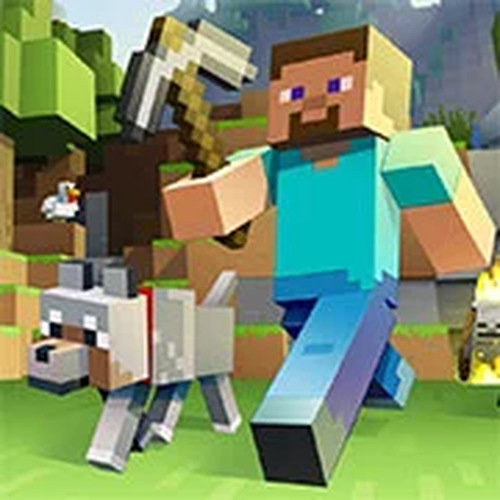
Eaglercraft delivers a faithful block-building experience directly in the browser. The controls are responsive, and the game runs smoothly on most devices. Multiplayer mode works well for collaborative projects, and singleplayer offers a relaxing survival challenge. The open-source nature adds transparency and community support. It is a solid choice for fans of creative construction games who want instant access without downloads.
Eaglercraft Online Building Game is a browser-based multiplayer simulator that brings the classic block-building experience to any device without downloads. Players can gather resources, craft tools, and construct structures in a sandbox environment. The game supports both singleplayer and multiplayer modes, allowing for solo exploration or collaborative building with friends. Its unique appeal lies in its accessibility—running entirely in a web browser, it works on any modern device with an internet connection. The open-source nature encourages community involvement, and the game is family-friendly, making it suitable for all ages.
To start, simply open the game in your browser—no installation needed. Players typically begin by breaking blocks to collect basic resources like wood and stone. These materials can be used to craft tools, weapons, and building components through an in-game interface. In singleplayer, you explore and survive at your own pace, while multiplayer mode lets you join servers to collaborate on projects or compete in mini-games. Controls are similar to other block-building games, using keyboard and mouse for movement and actions. Progress is saved locally, so you can continue your creations later.
Key features include instant play without downloads, multiplayer support for cooperative building, and classic crafting and mining mechanics. The game may include diverse environments such as The Nether and mushroom islands. Its open-source code on GitHub allows for community contributions and modifications. Server addresses are provided for easy multiplayer access. The game runs smoothly in the browser, ensuring performance without lag, and works on any device with a modern web browser. It is designed to be family-friendly and stable, suitable for quick sessions or long creative projects.
To succeed in Eaglercraft Online Building Game, start by gathering essential resources like wood and stone early. Build a shelter before nightfall to protect against monsters. In multiplayer, communicate with teammates to coordinate large builds and share resources. Experiment with different crafting recipes to create advanced tools and items. Save your progress regularly, as the game saves locally. Explore diverse biomes to find rare materials. Practice efficient block-breaking and placement techniques to speed up construction. Finally, check the game documentation for server addresses and community tips.