Free Rider 3 Bike Track Builder
Reviews
Free Rider 3 stands out with its intuitive track editor and smooth physics. Players can build and share custom courses, ensuring fresh content daily. The controls are responsive, making each ride a test of balance and timing. It is a safe, family-friendly game that encourages creativity and skill development. Highly recommended for anyone who enjoys building and racing.
About this game
Game Introduction
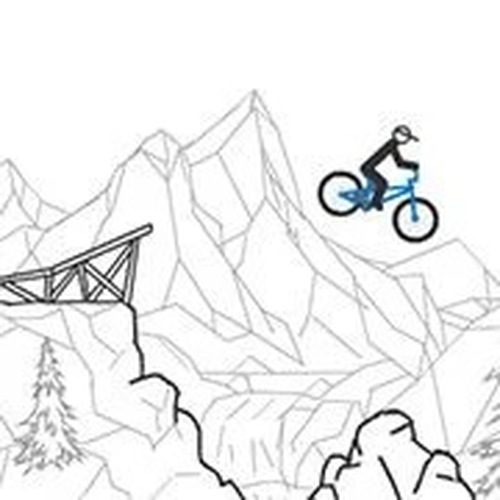
Free Rider 3 is an online bike track game that blends creativity with skill. Players can design their own tracks using ramps, loops, and obstacles, or ride tracks created by a global community. The game features smooth physics that make jumps and turns feel realistic. It offers a safe, family-friendly environment for players who enjoy building elaborate courses or tackling pre-made challenges. The core objective is to navigate each track from start to finish without falling, using careful timing and balance. What makes Free Rider 3 unique is its combination of a creative track editor and a physics-based riding experience, providing endless variety and replayability.
How to Play
To play Free Rider 3, players typically start by selecting a track from the community library or creating their own using the in-game editor. Control of the rider is usually managed with keyboard keys: accelerate, brake, and lean forward or backward to maintain balance. The goal is to ride through ramps, loops, and tricky terrain to reach the finish line without crashing. The physics engine requires precise timing and control, making each run a test of skill. Players can save their favorite tracks and share them with friends for friendly competition. The game is designed to be intuitive, allowing beginners to quickly learn the basics while offering depth for experienced players.
Game Features
Free Rider 3 includes a creative track editor that allows players to build custom courses with ramps, loops, and various obstacles. The game features realistic physics that provide satisfying and challenging gameplay. A community sharing system enables players to upload their creations and explore tracks made by others, ensuring a steady stream of new content. Players can save and replay their favorite tracks. The game is family-friendly and safe for all ages, with no inappropriate content. These features combine to offer a creative and skill-based experience that keeps players engaged.
Tips for Success
To succeed in Free Rider 3, practice maintaining balance by leaning forward on uphill sections and backward on downhill sections. Take time to learn the physics of each jump and turn, as timing is crucial for landing smoothly. When building tracks, start with simple layouts to understand how the editor works, then gradually add more complex elements. Explore tracks created by others to discover new techniques and design ideas. Save your best runs to analyze and improve your performance. Consistent practice and experimentation with different track types will help you master the game.