Sprunki Music Mix Creation Game
Reviews
Sprunki Music Mix Creation Game is a refreshingly simple and fun music creation tool. Its colorful visuals and upbeat sounds make it perfect for relaxing. The drag-and-drop interface is intuitive, allowing anyone to create unique melodies. The lack of pressure or rules encourages free experimentation. A great choice for family-friendly entertainment.
About this game
Game Introduction
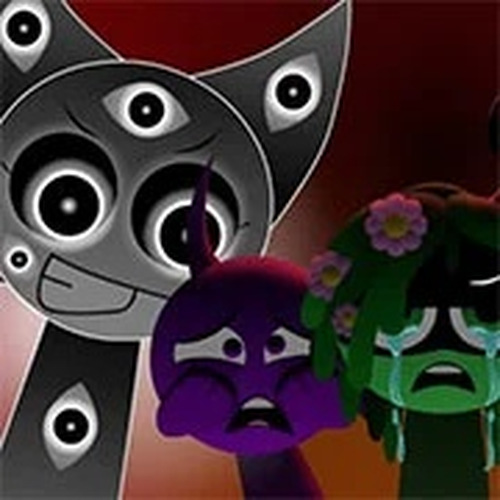
Sprunki Music Mix Creation Game is a casual music experience developed by FootLongNachos. It invites players to explore playful beats and cheerful melodies in a colorful, upbeat environment. The core objective is to mix sounds and form unique musical patterns without strict rules or pressure. This game focuses on creativity and fun, making it a perfect choice for relaxing gaming sessions. Its family-friendly design ensures there is no violence or inappropriate content, aligning with safe entertainment standards. The game offers a space where players can experiment with sound combinations and discover new rhythms. Each session is about personal expression and enjoyment, not competition. The cheerful atmosphere and bright visuals enhance the overall experience, making it suitable for players of all ages. Whether you are new to music games or a seasoned creator, Sprunki Music Mix Creation Game provides a welcoming platform to explore your musical side. The game emphasizes freeform creativity, allowing you to build your own soundscapes at your own pace. There are no timers or scores to worry about, so you can focus entirely on the joy of making music.
How to Play
To play, start by selecting from various sound elements available in the game. Drag and drop these elements onto the play area to layer beats and effects. Experiment with different combinations to discover new rhythms and melodies. The interface is intuitive, making it easy for beginners to jump right in. You can adjust the volume of each element to fine-tune your mix. There are no strict rules, so let your creativity flow as you build your own musical masterpiece. Share your creations with friends or simply enjoy the process of making music. The game encourages trial and error, so feel free to try unusual pairings. Each element can be moved, removed, or replaced at any time, giving you full control over your composition. The simple drag-and-drop mechanics mean you can start creating immediately without any tutorials. As you become more comfortable, you can add more layers and complexity to your mixes.
Game Features
Creative sound mixing with multiple elements allows for endless experimentation. Colorful visuals keep the experience engaging and lively. Easy controls make the game accessible for players of all ages. The game offers high replayability as you explore new combinations and patterns. Each session feels fresh and rewarding, encouraging you to return and create something new. The upbeat atmosphere and cheerful melodies enhance the overall enjoyment. The game may include a variety of sound categories, such as beats, melodies, and effects, to broaden your creative palette. The family-friendly design ensures a safe environment for all players. The intuitive interface means you can start creating immediately without any prior music knowledge. The game focuses on fun and relaxation, making it a great choice for unwinding after a busy day.
Tips for Success
Start by experimenting with a few sound elements to understand how they interact. Gradually add more layers as you become comfortable. Listen carefully to how different combinations sound together and adjust volumes to achieve a balanced mix. Don't be afraid to try unusual pairings—some of the best rhythms come from unexpected combinations. Take breaks if you feel stuck; returning with fresh ears can inspire new ideas. Most importantly, have fun and let your imagination guide your creations. Practice regularly to discover new patterns and improve your mixing skills. The more you experiment, the more unique your musical creations will become.