3D Connect Puzzle
Reviews
Connect Puzzle 3D offers a refreshing spatial challenge that stands out from typical puzzles. The 3D pillars add a new dimension to the classic connect-the-dots formula, requiring careful planning and rotation. The lack of timers makes it ideal for casual play, while the increasing difficulty keeps it engaging. Vibrant graphics and intuitive controls round out a polished experience suitable for all ages.
About this game
Game Introduction
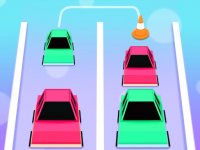
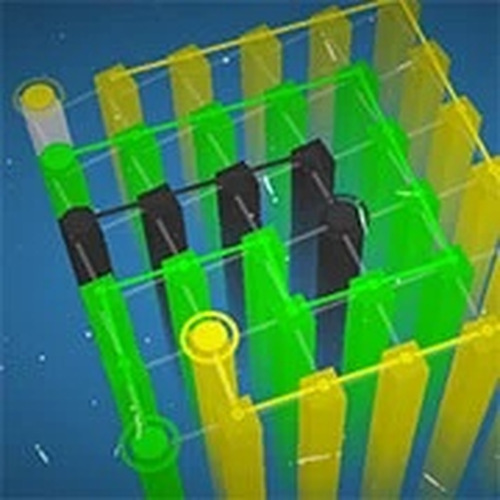
Connect Puzzle 3D offers a fresh approach to classic connect-the-dots puzzles. Instead of a flat surface, players navigate colorful three-dimensional pillars. Each level presents a new arrangement of dots that must be linked in one continuous path. The game challenges spatial awareness and planning as players rotate the puzzle to find the best route. Its vibrant graphics and smooth controls create a relaxing yet engaging experience. Designed for all ages, this game is perfect for casual players who enjoy a gentle mental workout without time pressure. The increasing difficulty keeps the gameplay interesting without becoming frustrating.
How to Play
To play Connect Puzzle 3D, click and drag on the 3D pillars to connect the dots. For more control, hold Alt and left-click to rotate or move the entire puzzle. Use your mouse scroll to zoom in and out for a clearer view. The goal is to connect all dots without lifting your mouse button, forming a single continuous line. The game is easy to start but gradually introduces more complex layouts. Take your time to study the pillar arrangement before drawing your path. There are no timers or penalties, so you can enjoy each puzzle at your own pace.
Game Features
Relaxing 3D puzzle gameplay with no time limits. Intuitive mouse and keyboard controls for easy navigation. Family-friendly design suitable for children and adults. Increasing difficulty across many levels. Smooth and colorful 3D graphics that are easy on the eyes.
Tips for Success
Connect Puzzle 3D offers a unique spatial challenge that feels different from typical puzzles. It is a good way to unwind while keeping your mind active. The simple controls and peaceful pace make it a reliable choice for short breaks or longer play sessions.